/Logo_ISO-Gruppe_RGB_negativ_alles.png?width=125&height=75&name=Logo_ISO-Gruppe_RGB_negativ_alles.png)
The Current Situation
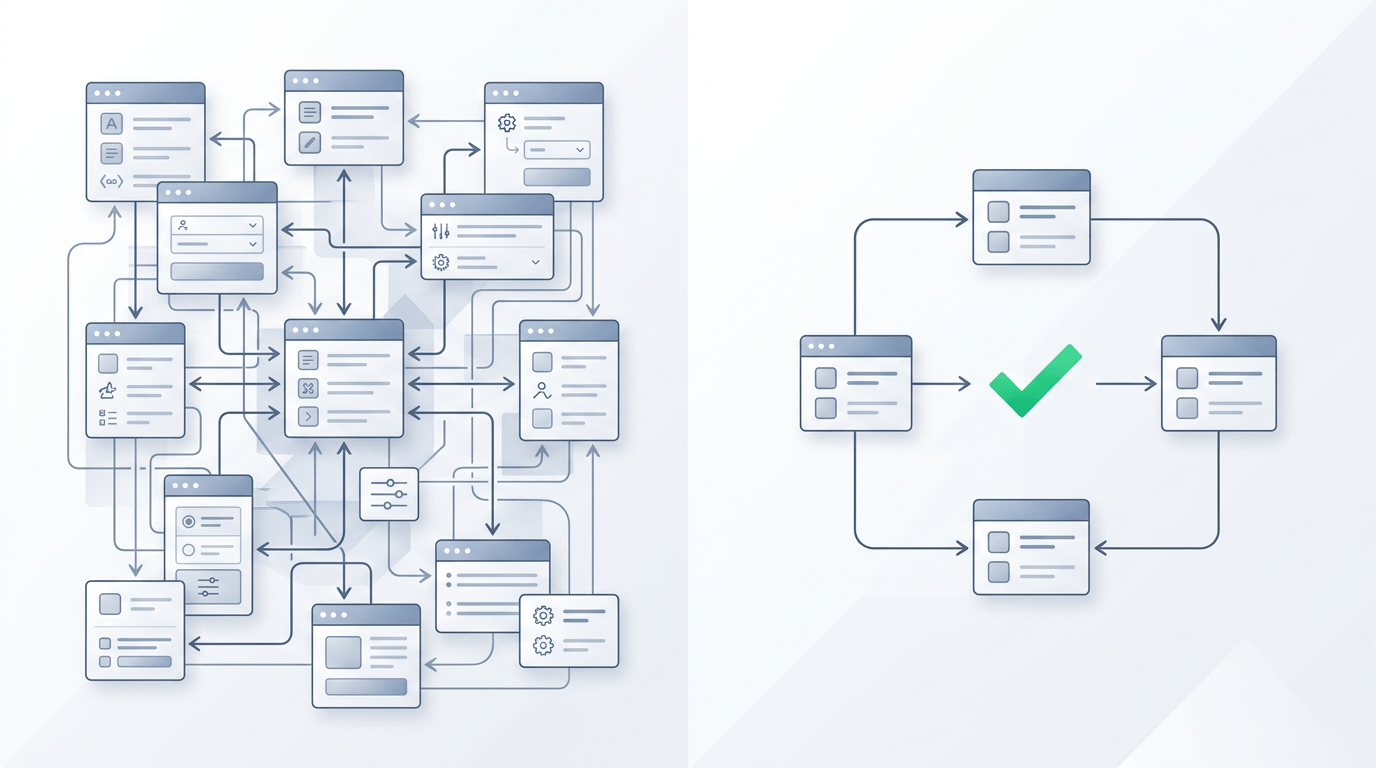
Until now, required fields were defined in Jira and then assigned to the respective field configurations. These were in turn bundled into field configuration schemas and linked to scopes to determine which fields are displayed where.
However, the original goal—greater flexibility and reusability—leads to the following challenges in practice:
- Difficult troubleshooting across multiple levels
- Low transparency of configurations
The resulting structure is complex, difficult to understand, and—depending on the size of the instance—time-consuming to manage. For example, when changes are made to a field configuration, it is often unclear which scopes are specifically affected.
Future Concept
The previous three-level structure (“Definition – Configuration – Schema”) is being simplified. The previous concepts will be consolidated into a new, optimized model: the field schema. An additional benefit of this change is a potential reduction in loading times, depending on the number of user-defined fields.
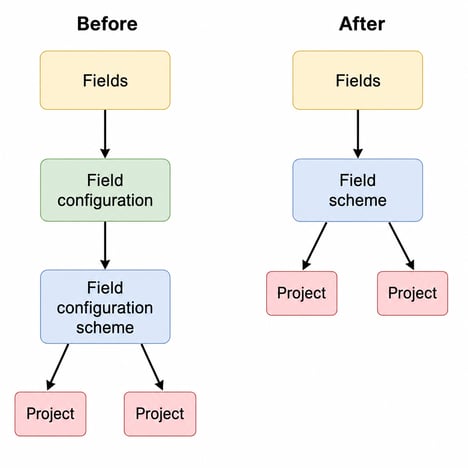
In the future, the behavior of fields within an area will be controlled directly via the respective field schema.
Phased implementation
Revision of the “Fields” page
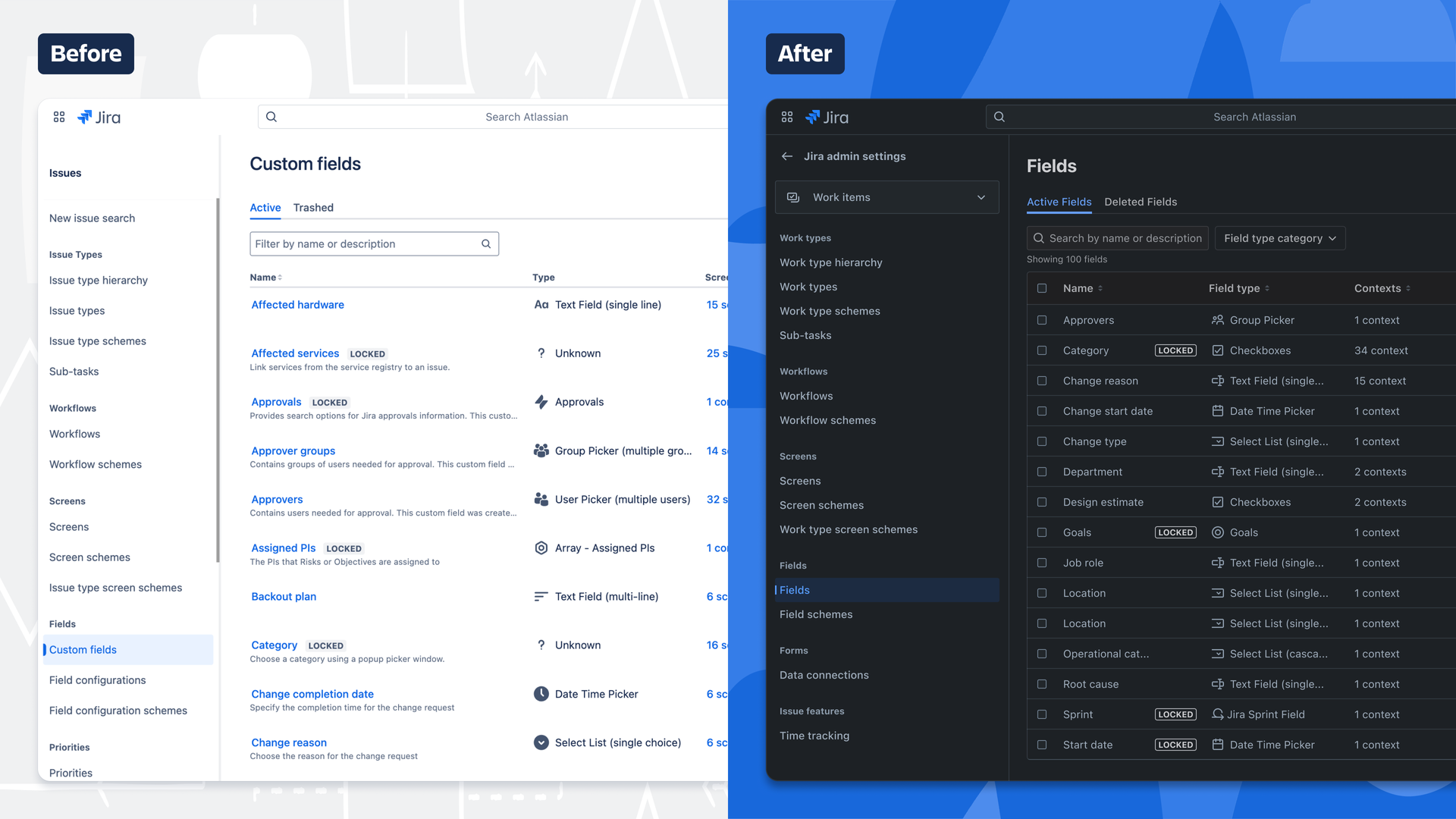
In the first step, the “Fields” page (formerly “Custom Fields”) was comprehensively revised:
- The list now also includes system fields (e.g., “Summary” and “Description”).
- Filter and sort options have been expanded (e.g., by field type categories, screens, and contexts).
- The table is customizable; columns can be shown or hidden (including a new column for the field ID).
- Fields can be created and edited directly within the page.
Limitations of the current version
Some functions are not yet fully integrated into the new interface. In the following cases, the system switches to the previous view:
- When adding or editing field contexts
- When adding a field to screens
- When creating a field using field types from third-party apps
Additional optimization tools
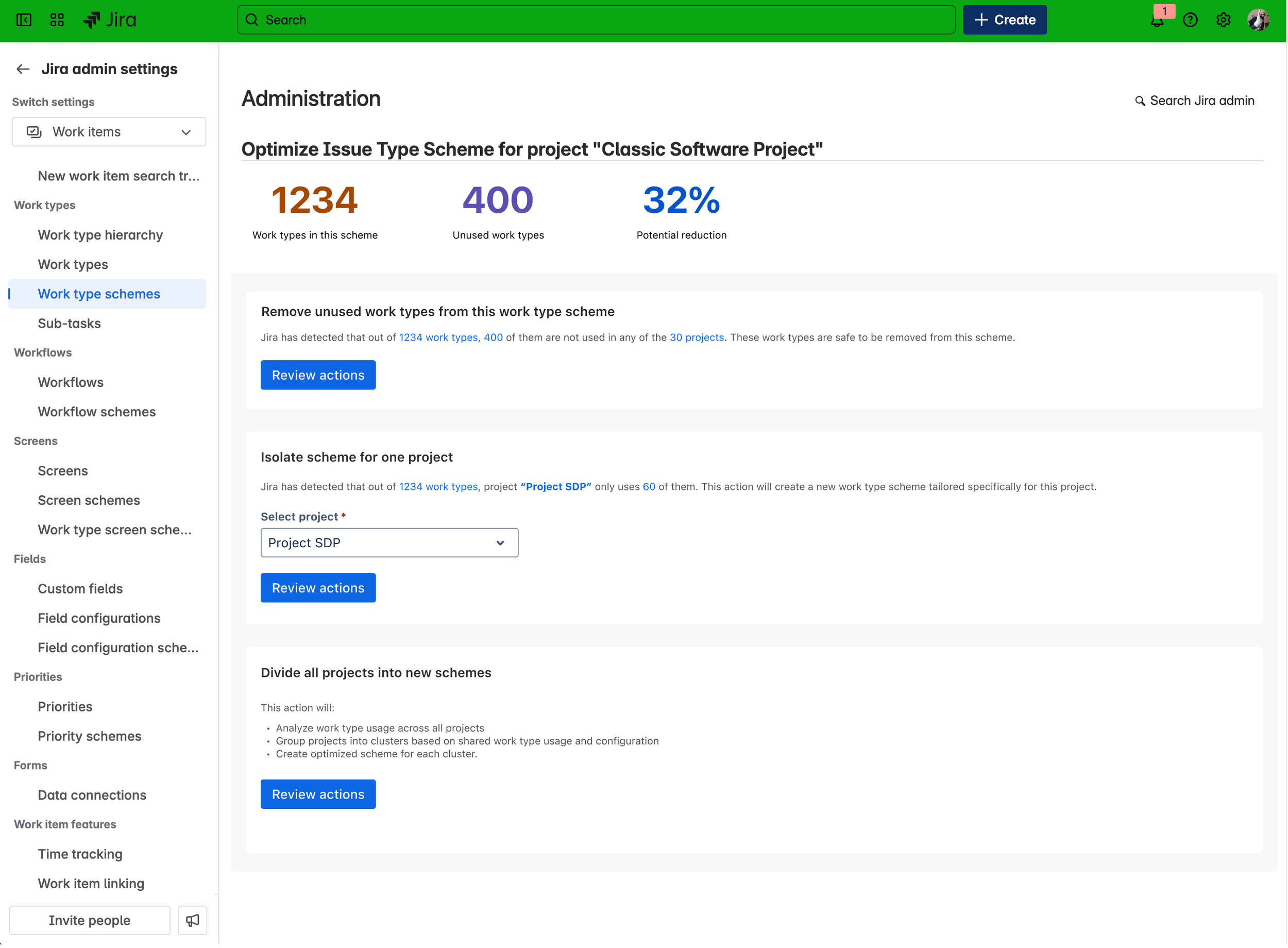
Optimization of issue type schemas
New tools make it possible to identify and remove unused issue types within a schema with just one click.
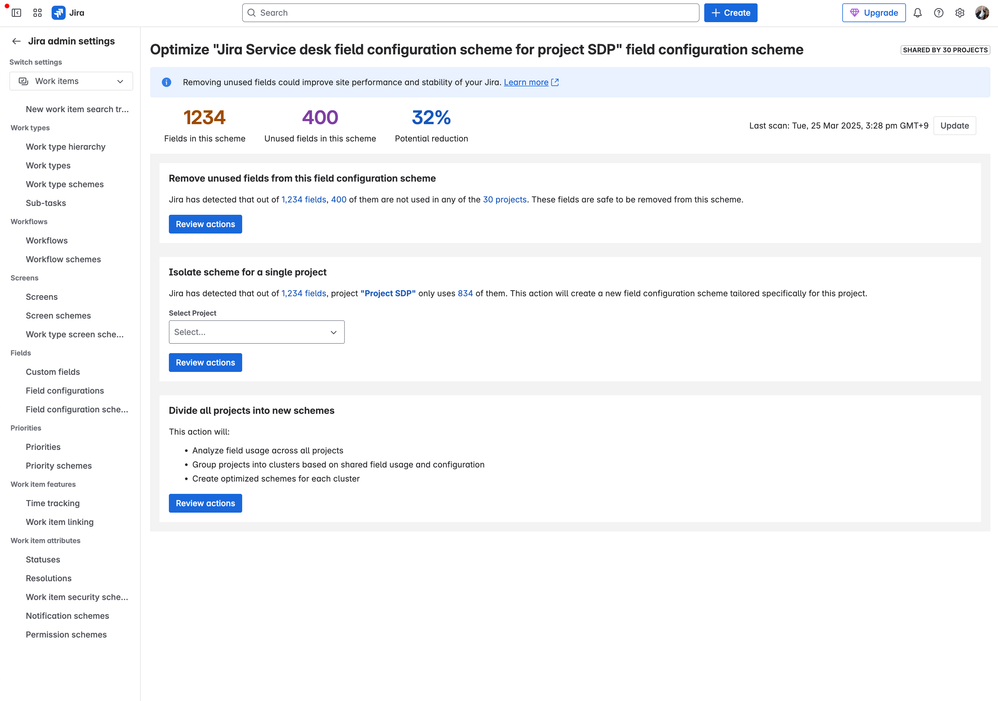
Optimizing field configuration schemas
Similarly, unused fields in field configuration schemas (including associated field configurations) can be quickly identified and cleaned up.
Next Steps
The following enhancements are planned:
- Introduction of a new menu item “Add Field to Field Configuration Schemas”
- Integration of fields from team-managed projects into the “Fields” page
- Further simplification and consolidation of concepts related to field configurations, field configuration schemas, and field contexts to make the relationship between fields and projects more transparent and direct
If you’d like to learn more about this topic or have any questions, feel free to reach out to us—we’ll get back to you shortly.